Nápověda
Návody na používání pokročilých funkcí aplikace.
Automatické aktualizace kalendářů
Tlačítkem lze získat soubor Calendar.ics a jeho otevřením se do příslušné místní aplikace jednorázově načtou všechny aktuální přihlášky.
Přihlášky k událostem lze z obsazovačky.info také importovat do dalších kalendářových aplikací, jako jsou Apple iCal, Microsoft Outlook nebo Kalendář Google. Nejprve je nutné zkopírovat adresu z přehledu přihlášek – k tomu slouží tlačítko (kopírovat), které adresu uloží do schránky.
Google kalendář – Android
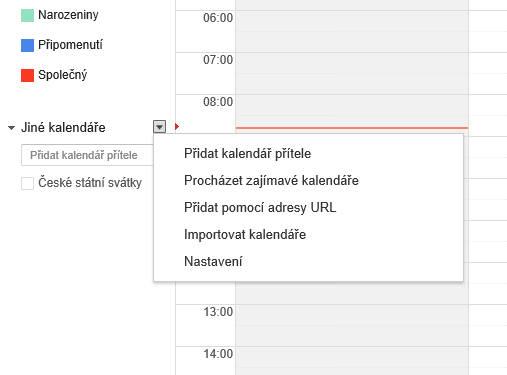
V dolní části levého sloupce na stránce https://calendar.google.com/ je pod šipkou za názvem Jiné kalendáře skrytá místní nabídka a v ní položka Přidat pomocí adresy URL (obr. 1.).
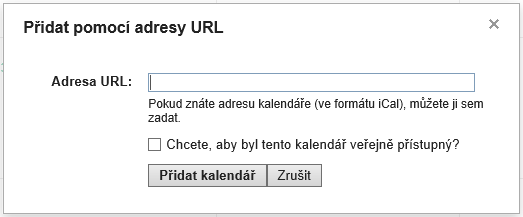
Po stisknutí se zobrazí stejně pojmenovaný formulář (obr. 2.), do kterého je třeba vložit adresu z přehledu přihlášek.
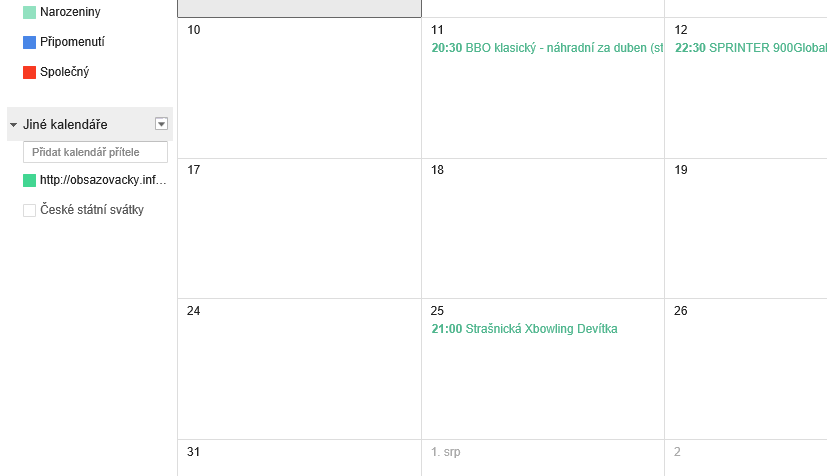
Stisknutím tlačítka Přidat kalendář dojde k zavření formuláře a v levém sloupci pod názvem Jiné kalendáře se objeví zadaná adresa jako název nového kalendáře (název kalendáře lze změnit).
Pro zobrazení přihlášek v kalendáři je třeba kliknout na čtvereček před názvem.
Outlook kalendář – Windows
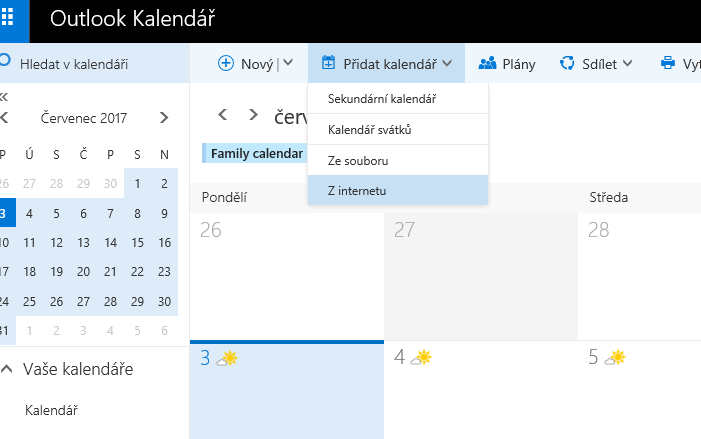
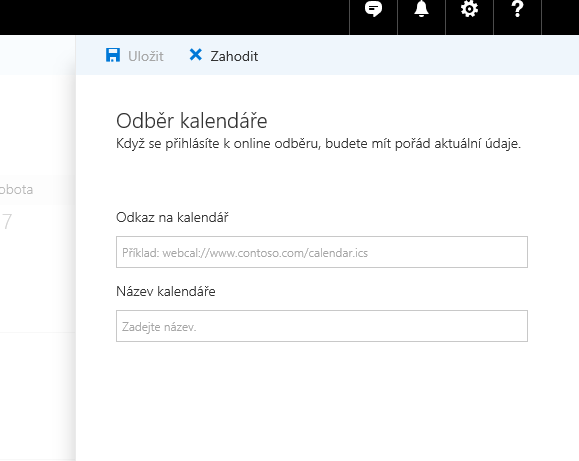
V záhlaví kalendáře na adrese https://calendar.live.com/ se v hlavní nabídce nachází roletka Přidat kalendář a skrývá volbu Z internetu (obr. 1.).
Po stisknutí se v pravé části zobrazí formulář Odběr kalendáře (obr. 2.) a do jeho dvou polí je třeba vložit adresu z přehledu přihlášek a název nového kalendáře, např. Obsazovačky. Stisknutím tlačítka Uložit dojde k založení nového kalendáře a načtení položek.
Nový kalendář bude služba sledovat a aktualizovat přibližně každé 4 hodiny.
Apple iCloud kalendář – iPhone
Postupujte podle tohoto návodu, jen místo adresy začínající webcal://files.apple.com/calendars/... vložte adresu z přehledu přihlášek.